JEF file viewer
Open a Janome JEF design and see it in its Janome thread colours, with the thread numbers, stitch count, size and sewing time.
Save as: · · · · · · ·
More options
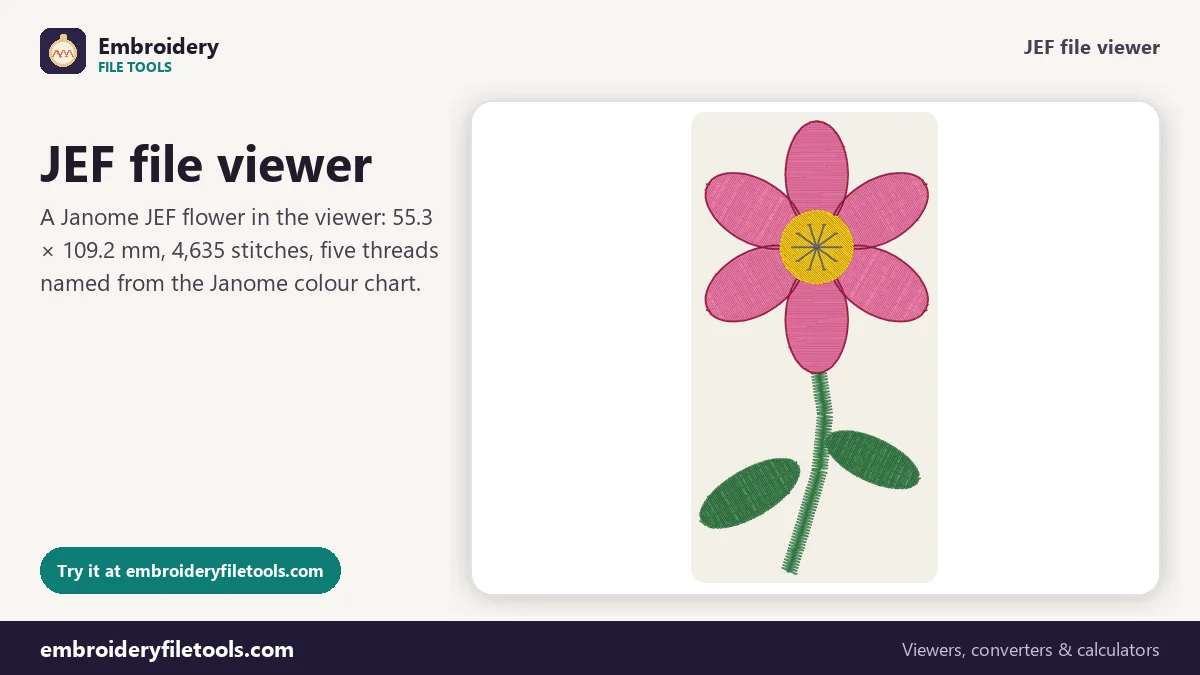
JEF is the embroidery format of Janome, and the machines Janome builds for Elna and some Kenmore models use it as well. Janome's Digitizer software saves JEF, the machines read it from a USB stick or through their own software, and most design shops offer it next to PES and DST. This JEF viewer opens the file without any Janome software and shows the design with its thread colours, the Janome thread numbers, the size and the stitch count.
How to view a JEF file
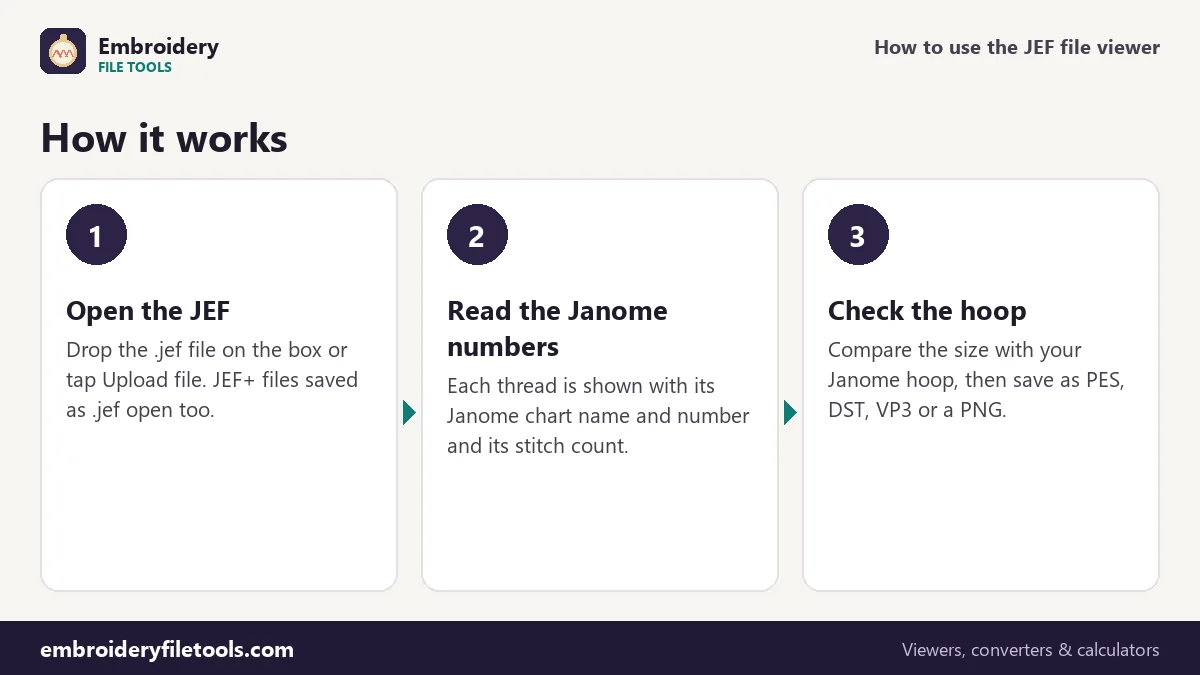
- Open it. Drag the .jef file onto the upload box, drop it anywhere on the page, or tap Upload file.
- Look at the design. It appears in the colours the JEF asks for. Zoom with the buttons, by pinching, or with Ctrl and the scroll wheel, and drag to move around.
- Read the details. The facts line shows the size, stitch count, colours, colour changes, trims and sewing time. The thread list shows each Janome colour with its number and the stitches sewn in it.
How a JEF file is built
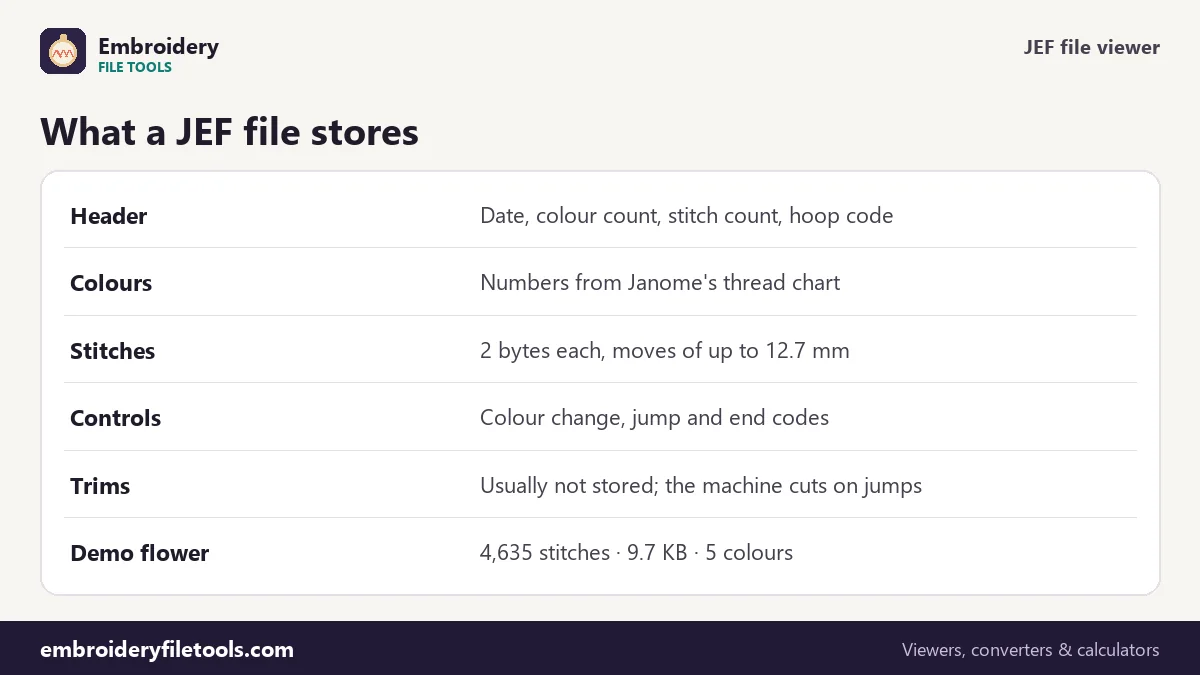
A JEF file begins with a short binary header. It records when the file was made (a 14-digit date and time), how many colours and stitch points there are, a hoop code, the design's distance from the hoop centre in each direction, and then one number per colour. After the header come the stitches, two bytes each: one byte for the move left or right and one for up or down, so a single stitch can move at most 127 units, 12.7 mm. A byte value of 0x80 starts a control code: colour change, jump, or end of design.
The colour numbers are the important detail. JEF does not store a colour value. It stores the number of a thread in Janome's own chart, a list of about 78 colours such as Pink 201, Green 226 or Sunflower 239. The viewer looks each number up in the chart, which gives the design its colours and names.
| Demo flower | Janome thread | Stitches |
|---|---|---|
| Stem and leaves | Green 226 | 929 |
| Petals | Pink 201 | 2,832 |
| Petal outlines | Wine Red 215 | 396 |
| Centre | Sunflower 239 | 368 |
| Centre lines | Dark Gray 252 | 110 |
What the chart numbers mean for your threads
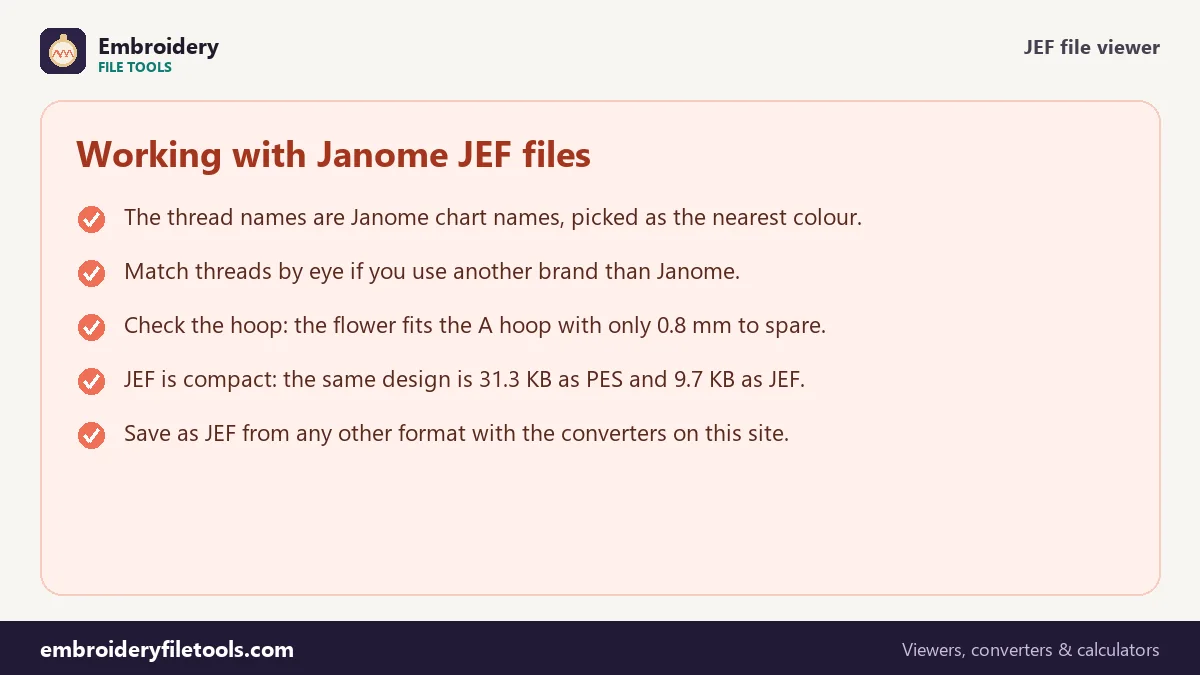
Because a JEF can only name a chart colour, a design made in other threads arrives with the nearest Janome colours. The flower's outlines were digitized in a deep magenta; the JEF calls them Wine Red 215. The fine lines in the centre were a cocoa brown and became Dark Gray 252. These are the closest matches by colour distance, not exact equivalents, and two different threads can even land on the same chart colour.
If you stitch with Janome thread, the numbers tell you exactly what to buy. With another brand, use the swatches in the thread list as a guide and match by eye, or click a swatch to try a different colour on screen before you choose.
The hoop code and the design size
JEF files carry a hoop code from the time the design was saved: A (126 × 110 mm), B (50 × 50 mm), C (140 × 200 mm), SQ (200 × 200 mm) or the 110 × 110 mm default. The code is a hint for the machine, not a limit on the design. What matters is the stitched size the viewer shows: the flower is 55.3 × 109.2 mm. The A hoop's sewing field is 126 × 110 mm, so the flower fits it, but with only 0.8 mm to spare in height. That leaves no room for hooping a little off centre; the C hoop (140 × 200 mm) gives plenty. The hoop size checker works this out for every Janome hoop in a second, including turned designs.
At 4,635 stitches, five colours and 31 trims, the flower takes about 14 minutes on a single-needle machine at 700 stitches a minute, counting a minute per thread change. If your Janome runs at another speed, enter it under More options.
Why JEF files are small
At two bytes per stitch and with no thread list, JEF is one of the most compact formats. The demo flower is 9.7 KB as JEF, against 14.6 KB as DST, which spends three bytes per stitch, and 31.3 KB as PES, which carries a second copy of the design for PE-Design and small screen pictures. File size says nothing about quality: all three files contain the same 4,635 stitches.
Opening a JEF on another machine
Use the Save as links to write the design as PES for Brother and Baby Lock, DST for multi-needle machines, VP3 for Husqvarna Viking and Pfaff, or EXP for Bernina and Melco. The JEF to PES converter and JEF to DST converter explain what each target keeps. Going the other way, from another format into JEF, is covered on the PES to JEF and DST to JEF pages.
JEF viewer: common questions
How do I open a JEF file without Janome software?
Drop it on the upload box on this page. You will see the design, the colours, the size and the stitch count without installing anything.
Why do the colour names not match my design sheet?
A JEF stores Janome chart numbers only. If the design was made with other threads, each one was changed to the nearest Janome colour when the JEF was saved.
What is the difference between JEF and JEF+?
JEF+ is Janome's extended version used by its newer software. Many JEF+ files still open when saved with the .jef extension; if one does not, export a plain JEF from the software.
Does a JEF file contain trims?
Usually not as commands. Janome machines cut the thread on longer jumps, and the viewer counts a trim wherever the needle jumps more than 3 mm.
Can I change the thread colours of a JEF?
Yes. Click a swatch, choose a colour and save. In a new JEF the colour you chose is stored as the nearest Janome chart number; in a PES or VP3 it is stored exactly.
More embroidery file tools
Updated November 2026 · How these tools work